


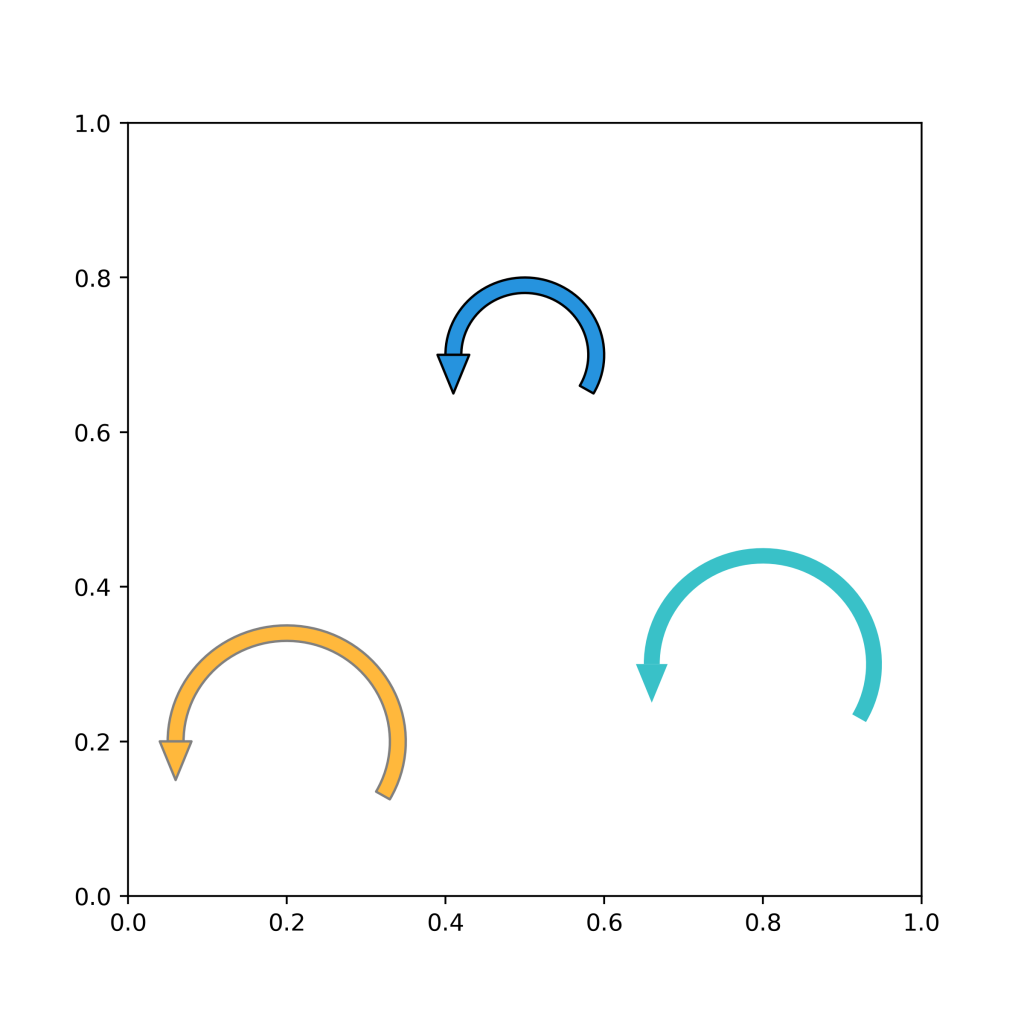
The function below will be useful if you want to draw an arrow that loops back – a self-loop – in Python.
Full Code
import numpy as np
import matplotlib.patches as mpatches
from matplotlib.collections import PatchCollection
import matplotlib.pyplot as plt

def draw_self_loop(center, radius, facecolor='#2693de', edgecolor='#000000', theta1=-30, theta2=180):

    # Add the ring
    rwidth = 0.02
    ring = mpatches.Wedge(center, radius, theta1, theta2, width=rwidth)

    # Triangle edges
    offset = 0.02
    xcent  = center[0] - radius + (rwidth/2)
    left   = [xcent - offset, center[1]]
    right  = [xcent + offset, center[1]]
    bottom = [(left[0]+right[0])/2., center[1]-0.05]
    arrow  = plt.Polygon([left, right, bottom, left])

    p = PatchCollection(
        [ring, arrow],
        edgecolor = edgecolor,
        facecolor = facecolor
    )
    ax.add_collection(p)


#---------------------------------------------
# Drawing time
#---------------------------------------------
fig, ax = plt.subplots(figsize=(6,6))
draw_self_loop(center=(.5, .7), radius=.1)
draw_self_loop(center=(.2, .2), radius=.15, facecolor='#ffb83c', edgecolor='gray')
draw_self_loop(center=(.8, .3), radius=.15, facecolor='#39c1c8', edgecolor=None)
plt.show()
Playing with loop start and loop end
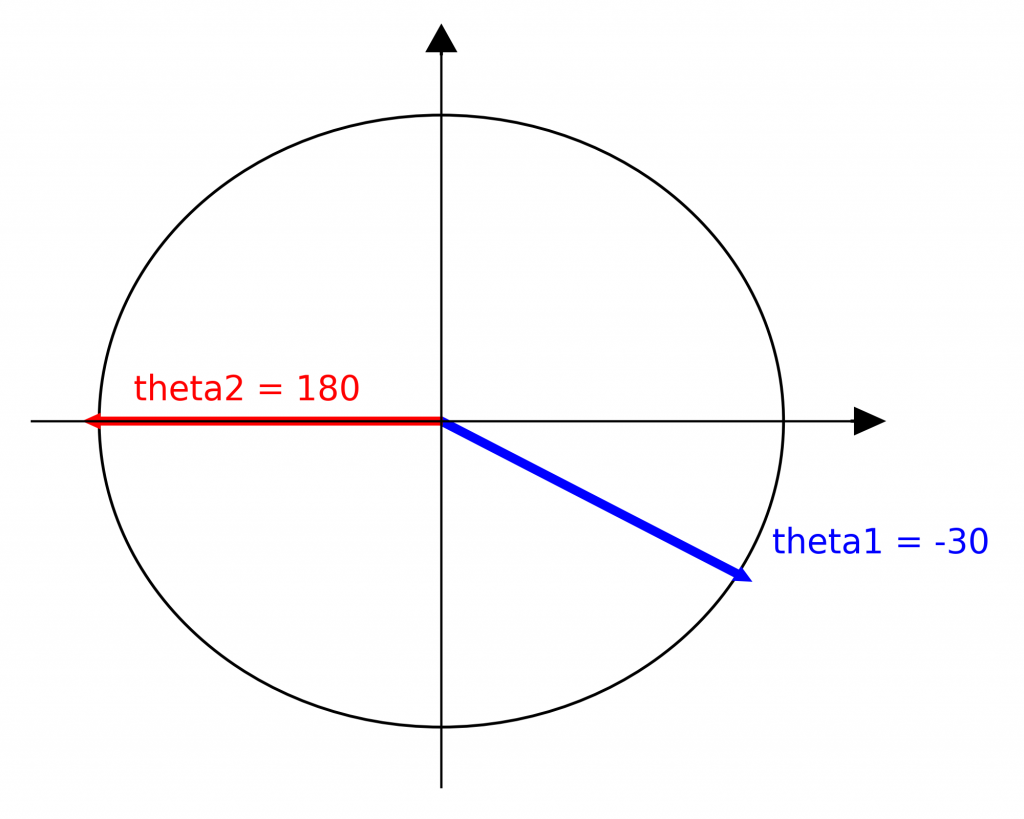
The mpatches.Wedge object of matplotlib.patches allows you to specify the start and end angles of your loop. You have to visualize these values as situated on a trigonometric circle. In my draw_self_loop() function above, the default values are
- theta1 = -30
- theta2 = 180
Which look like this on the trigonometric circle
Which is why your loop looks like this
fig, ax = plt.subplots(figsize=(4,4))
draw_self_loop(center=(.5, .5), radius=.3, theta1=-30, theta2=180)
plt.show()

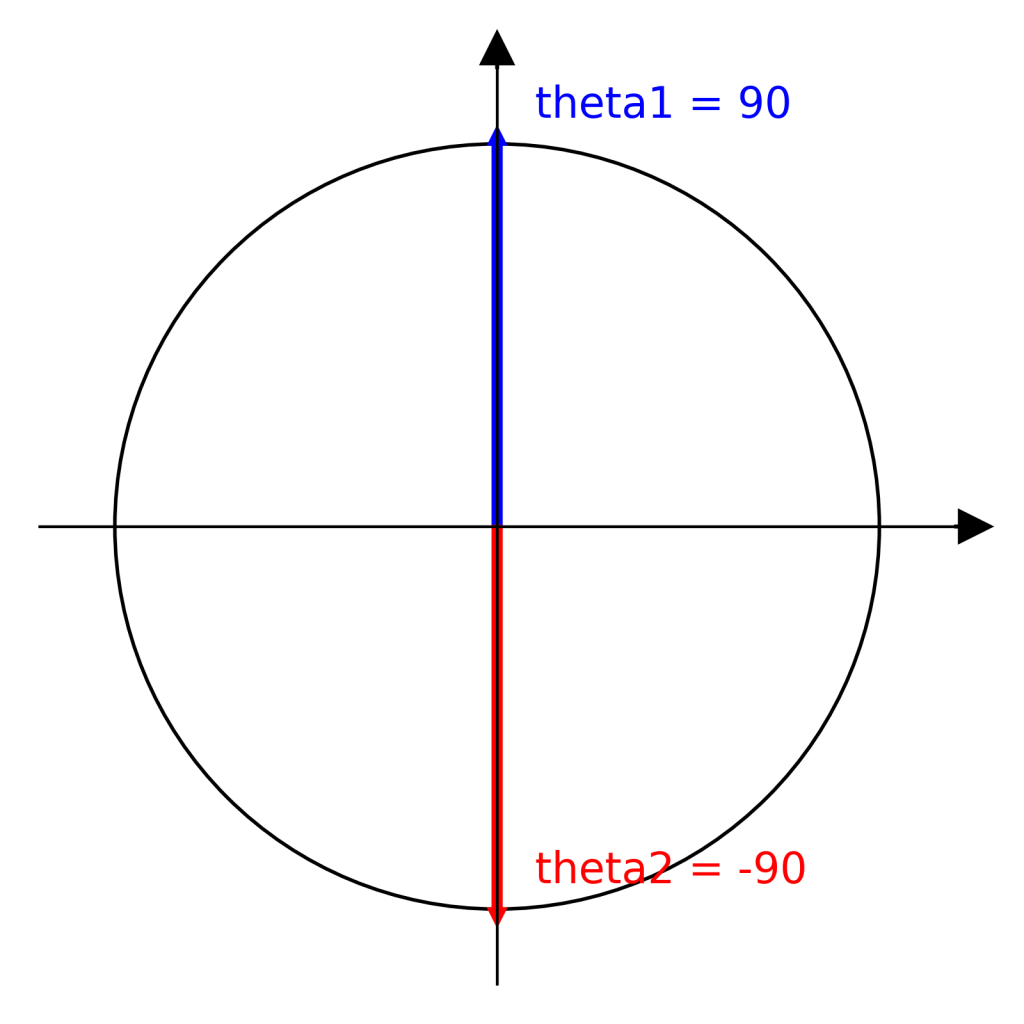
As you change the valyes of theta1 and theta2, just remember where they would be on the trigonometric circle.
Example
fig, ax = plt.subplots(figsize=(4,4))
draw_self_loop(center=(.5, .5), radius=.3, theta1=90, theta2=-90)
plt.show()

Looks like this because
Potential improvements
The triangle position and direction could be automatically adjusted according to the theta values. Feel free to contribute to my code on GitHub.